
MC1540349 High
Microsoft Teams: Decline incoming mobile calls with a message
Summary AI-generated
Teams mobile users can now decline a call and send a message to the caller from the incoming call screen, enabling faster communication of availability.
Suggested actions AI-generated
- Inform help desk and users about the new Message option in Teams mobile
Written by Azure OpenAI (gpt-4.1) from the text of the post below. It can be incomplete or wrong; the original post is authoritative.
Similar posts
Search for more like this- MC1269213 New meeting response option: decline and propose a new time in Outlook Mobile
- MC1279071 (Updated) Queues app on Microsoft Teams mobile
- MC1187790 (Updated) Microsoft Outlook Mobile: Filter out declined meetings for a cleaner calendar view
- MC1402308 Microsoft Teams: Speed dial improvements on Teams mobile
- MC1402306 (Updated) Microsoft Teams: Use multiple phone lines on Teams mobile
- MC1260707 Microsoft Teams: Catch up in Teams mobile
Original post from Microsoft
[What and why]
Microsoft Teams mobile users will be able to decline an incoming Teams call and send a message to the caller at the same time. This gives users a faster way to communicate their availability without answering the call or separately navigating to chat.
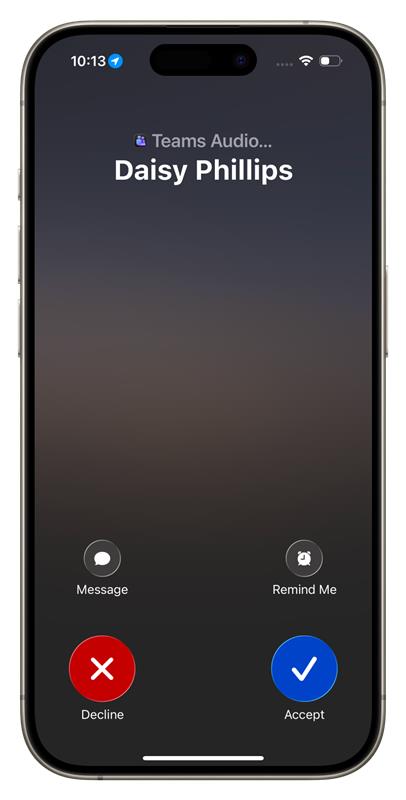
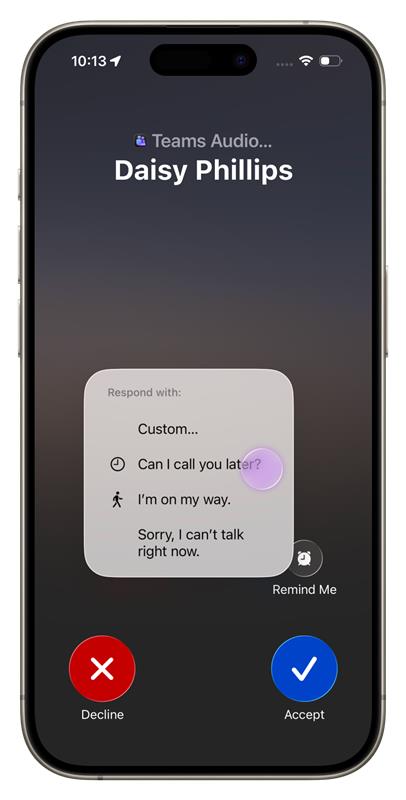
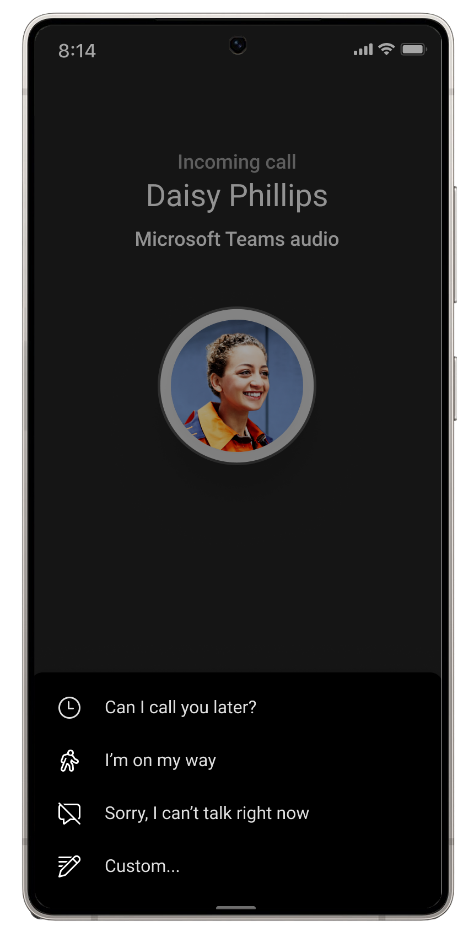
From the incoming call screen, users can select Message and choose a predefined response or select Custom to compose a personalized response in the relevant Teams chat.
[Rollout schedule]
- General Availability (Worldwide, GCC, GCC High, DoD): We will begin rolling out in early December 2026 and expect to complete by mid-December 2026.
[Impact on your organization]
Who is affected
- Microsoft Teams mobile users who receive eligible Teams-to-Teams calls and have an associated Teams chat available for the response
Platforms and services
- Microsoft Teams mobile
What will happen
Once this feature is available:
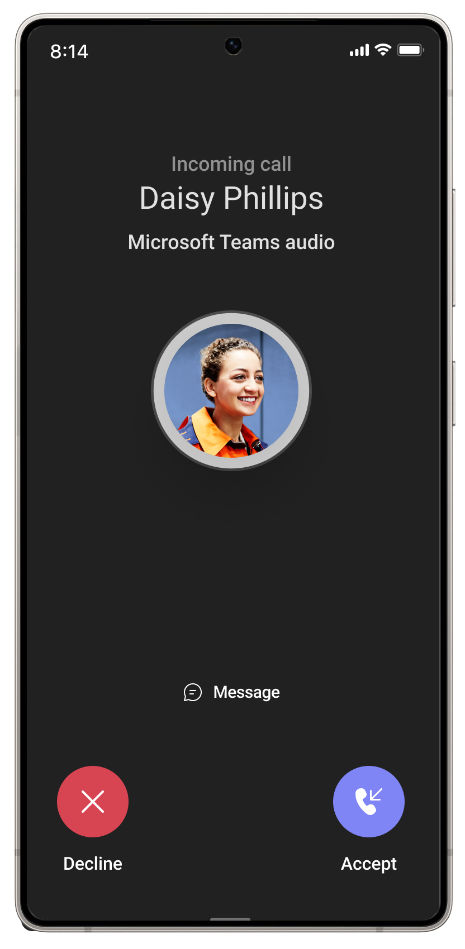
- Users will see a new Message option on the incoming call screen.
- Users can choose a predefined response, such as “Can I call you later?”, “I’m on my way.”, or “Sorry, I can’t talk right now.”
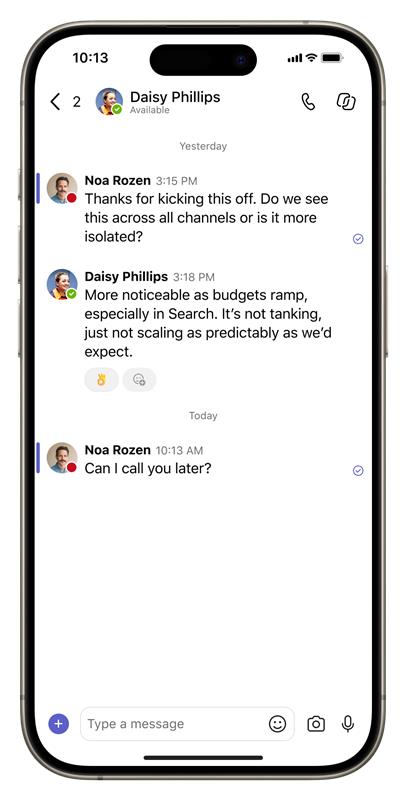
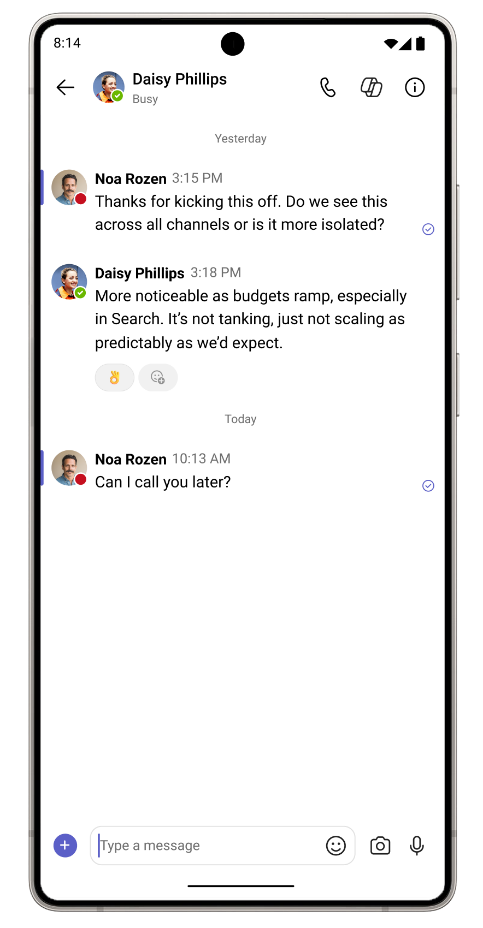
- Selecting a predefined response will decline the call and immediately send the selected message to the caller in Teams chat.
- Users can select Custom to decline the call and open the relevant Teams chat to compose a personalized response.
- The response will appear in Teams chat so users can continue the conversation after the call is declined.
- This capability will not apply to PSTN, anonymous, or interoperability calls where there is no corresponding Teams chat to receive the message.
- Existing options to accept or decline an incoming call will not change.
- The feature will become available automatically as it rolls out to eligible users.
iOS experience
Screenshot 1 - IOS view 1:
Screenshot 2 - IOS view 2:
Screenshot 3 - IOS view 3:
Android experience
Screenshot 4 - Android view 1:
Screenshot 5 - Android view 2:
Screenshot 6 - Android view 3:
[Action required and recommendations]
No admin action is required before rollout.
We recommend informing your help desk and users about the new Message option, particularly users who frequently handle Teams calls from their mobile devices.
[Compliance considerations]
This change provides a new way for users to communicate by allowing a user declining an eligible Teams call to send a predefined or custom message to the caller through Teams chat. Review this change as appropriate for your organization.
Additional details from Microsoft
- RoadmapIds
- 577176
- FeatureStatusJson
- {"0":[{"RoadmapId":0,"McPostId":"MC1540349","Platform":"Android","Status":"Scheduled","LastUpdateTime":"2026-11-06T03:00:30.2426818Z","LatestRing":null,"TenantRolloutRing":null},{"RoadmapId":0,"McPostId":"MC1540349","Platform":"All","Status":"Scheduled","LastUpdateTime":"2026-11-06T03:00:30.242682Z","LatestRing":null,"TenantRolloutRing":null}]}
- Summary
- Microsoft Teams mobile users will soon be able to decline incoming calls with a predefined or custom message sent via Teams chat. This feature, rolling out worldwide in December 2026, enhances communication without answering calls. It applies only to Teams-to-Teams calls with available chat and requires no admin action.
- Platforms
- Android, iOS