
MC1457226 High
(Updated) Microsoft OneDrive: Refreshed file browsing and filtering experience in OneDrive Web
Summary AI-generated
OneDrive for web will adopt the modern SharePoint document library experience, offering improved navigation and expanded filtering for consistent, efficient file management.
Suggested actions AI-generated
- Review and update internal training materials
- Inform help desk and support teams
- Communicate changes to OneDrive web users
Written by Azure OpenAI (gpt-4.1) from the text of the post below. It can be incomplete or wrong; the original post is authoritative.
Similar posts
Search for more like this-
MC1403407 (Updated) OneDrive for the web: New libraries browsing experience
(Updated) OneDrive for the web: New libraries browsing experience A new Libraries view in OneDrive for the web replaces 'More places', improving access and navigation for SharePoint document libraries, Teams, and favorite sites. [What and Why:] We’re introducing a refreshed Libraries view in OneDrive for the web that replaces the existing .
-
MC1423118 (Updated) OneDrive for the web: Document library views now available in OneDrive
(Updated) OneDrive for the web: Document library views now available in OneDrive OneDrive users can now access, create, and manage SharePoint document library views directly in OneDrive for improved organization and efficiency. [What and Why:] We’re enhancing the OneDrive experience by enabling users to access and manage SharePoint document.
-
MC1521617 Microsoft OneDrive: Updated placement of the Create or upload button in OneDrive for the web
Microsoft OneDrive: Updated placement of the Create or upload button in OneDrive for the web OneDrive web updates move the 'Create or upload' button to the right side of the page, aligning with SharePoint; functionality and options remain unchanged. [What and why] We are updating the Microsoft OneDrive web experience. ...d that you update.
-
MC1179157 (Update) Updated SharePoint document library user experience
(Update) Updated SharePoint document library user experience SharePoint document libraries get a refreshed user experience, with improved command bar, breadcrumb navigation, filter/view visibility, and expanded custom formatter support. [Introduction] Microsoft is introducing a refreshed user experience for SharePoint document libraries to.
-
MC1393813 OneDrive: Find and browse document libraries on mobile
OneDrive: Find and browse document libraries on mobile The OneDrive iOS mobile app is being updated to make it easier for users to find and access SharePoint document libraries, aligning the mobile experience with desktop and web. [Introduction] We’re improving the OneDrive iOS mobile experience to make it easier for users to find and access .
-
MC1240699 (Updated) Introducing the new SharePoint experience
(Updated) Introducing the new SharePoint experience The new SharePoint experience, including a redesigned app bar and unified Favorites, rolls out GA from June 15, 2026, with Copilot-powered AI features for licensed users. We’re ready to begin the General Availability (GA) rollout of the new SharePoint experience on June 15, with deployment.
Original post from Microsoft
Updated October 20, 2026: We have updated the timeline. Thank you for your patience.
[What and why]
We're updating OneDrive for the web to align its file browsing experience with the modern SharePoint document library experience. This update introduces improved navigation and expanded filtering capabilities to help users find, organize, and manage files more efficiently across Microsoft 365. The changes also provide a more consistent experience between OneDrive and SharePoint.
This message is associated with Microsoft 365 Roadmap ID 566316.
[Rollout schedule]
- Targeted Release: Beginning in mid-August 2026 and expected to complete by late August 2026
- General Availability (Worldwide): Beginning in late August 2026 and expected to complete by late October 2026 (previously mid-September)
[Impact on your organization]
Who is affected
- All users of OneDrive Web
Platforms and services
- OneDrive for the web
- SharePoint Online
What will happen
Users will see a refreshed file browsing and filtering experience in OneDrive for the web.
Key changes include:
OneDrive for the web will use the modern SharePoint document library experience for file browsing and management.
- Updated navigation and layout will provide a more consistent file management experience across Microsoft 365.
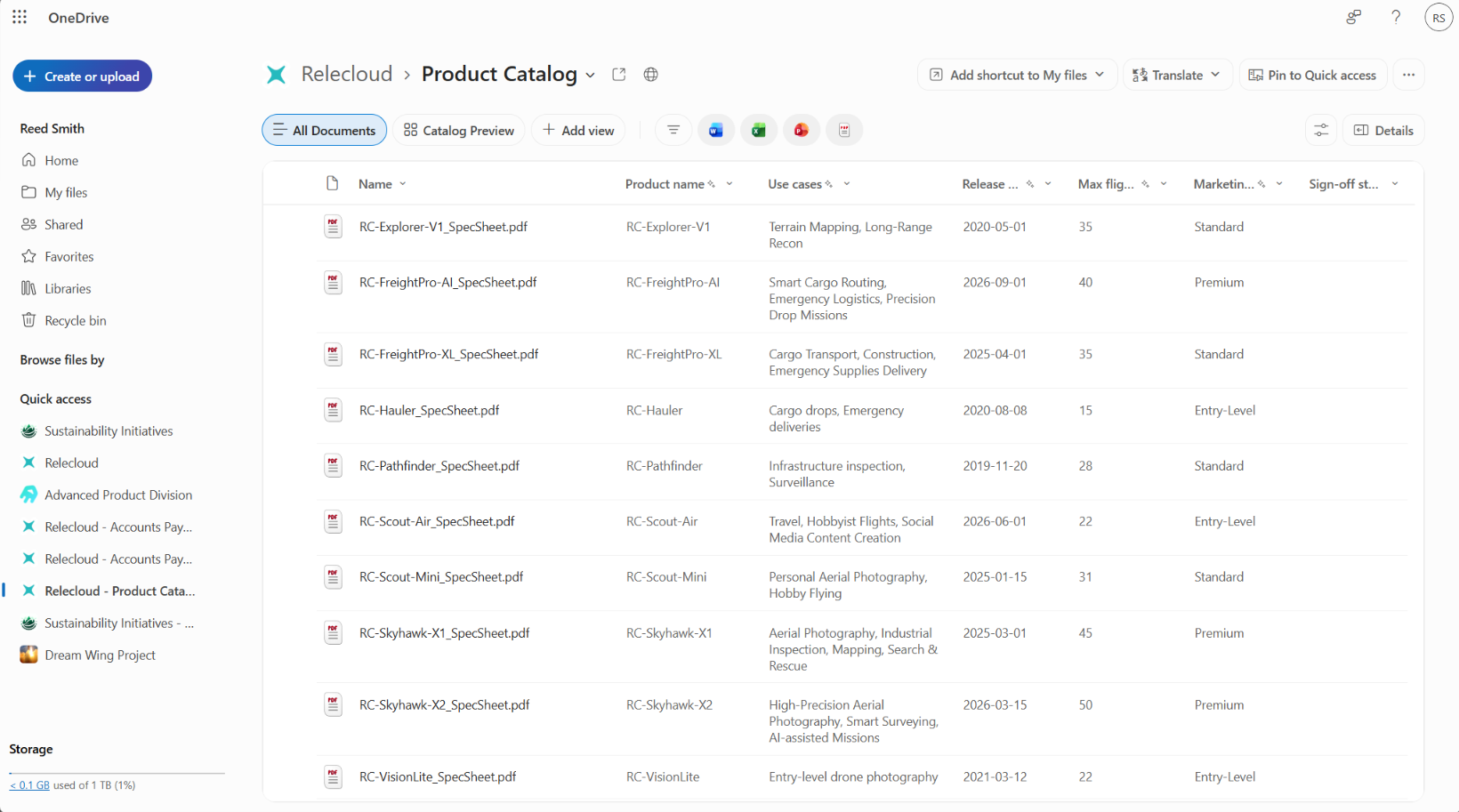
Enhanced filtering capabilities will be available in folder-based views such as My files and Shared.
- Users can filter content by file type.
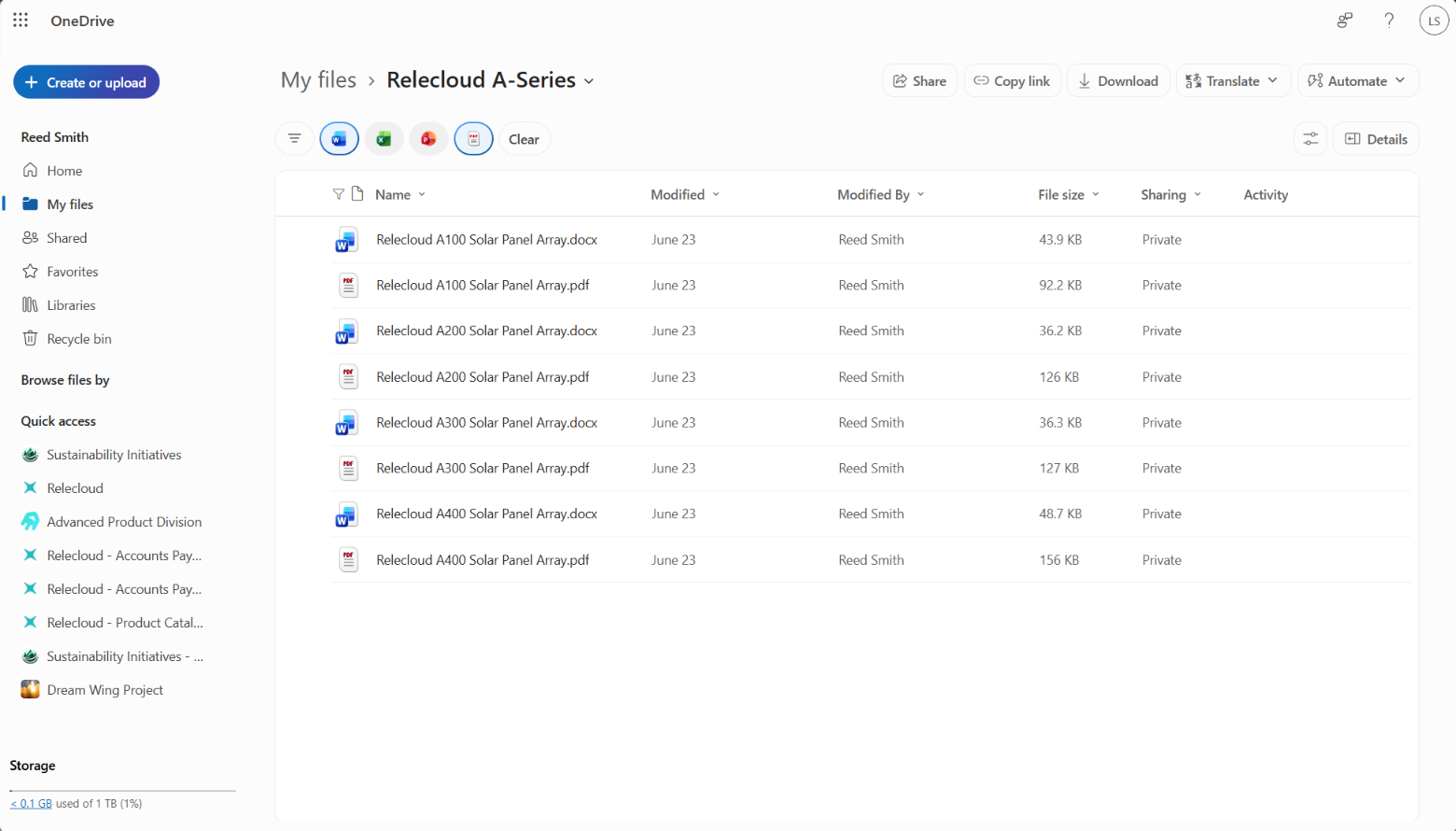
- Filters can be applied using filter pills and the filter pane.
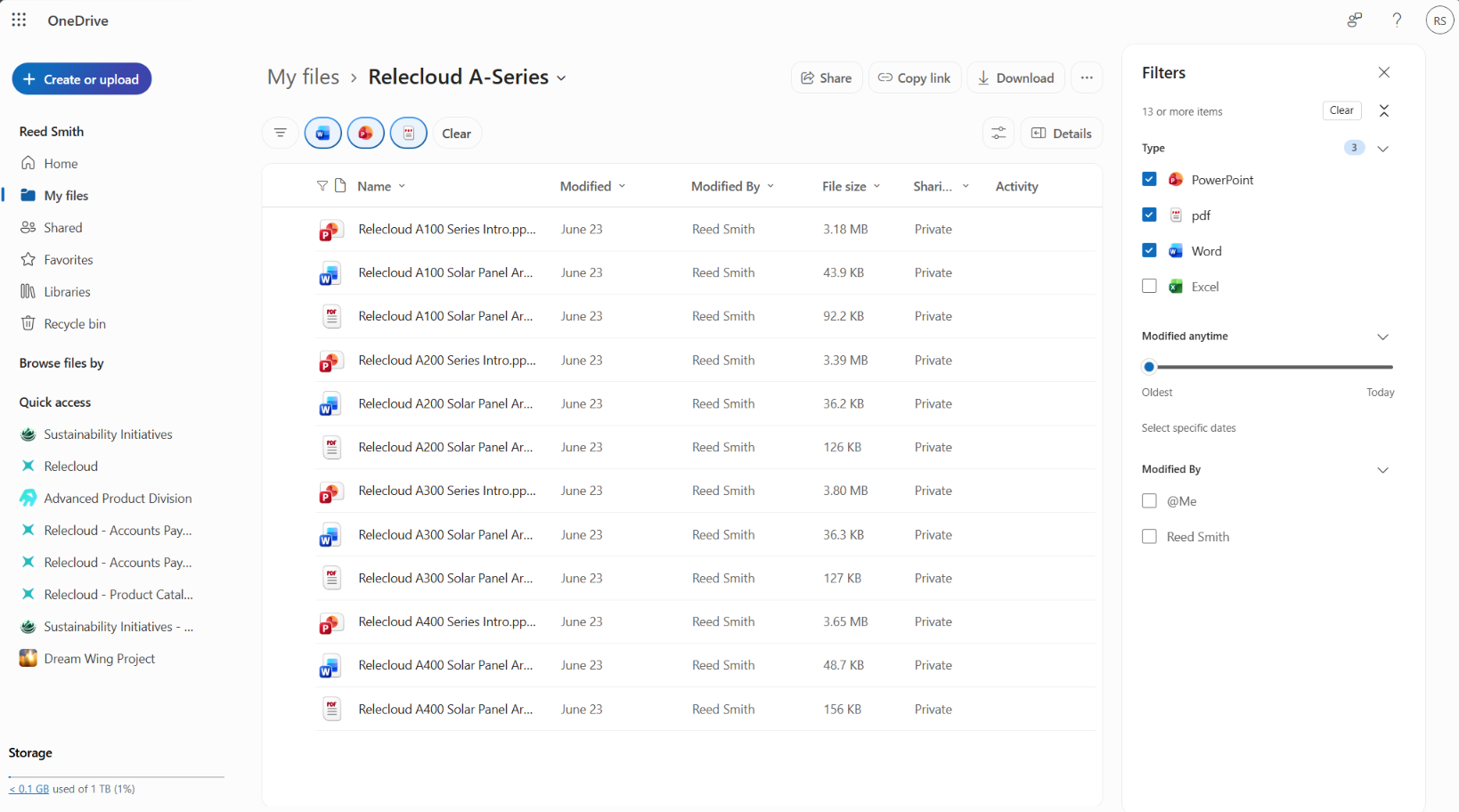
Improved filtering across OneDrive views.
- Users can apply multiple filters simultaneously.
- Enhanced filtering will be available in Home, Shared, People, Meetings, and Favorites views.
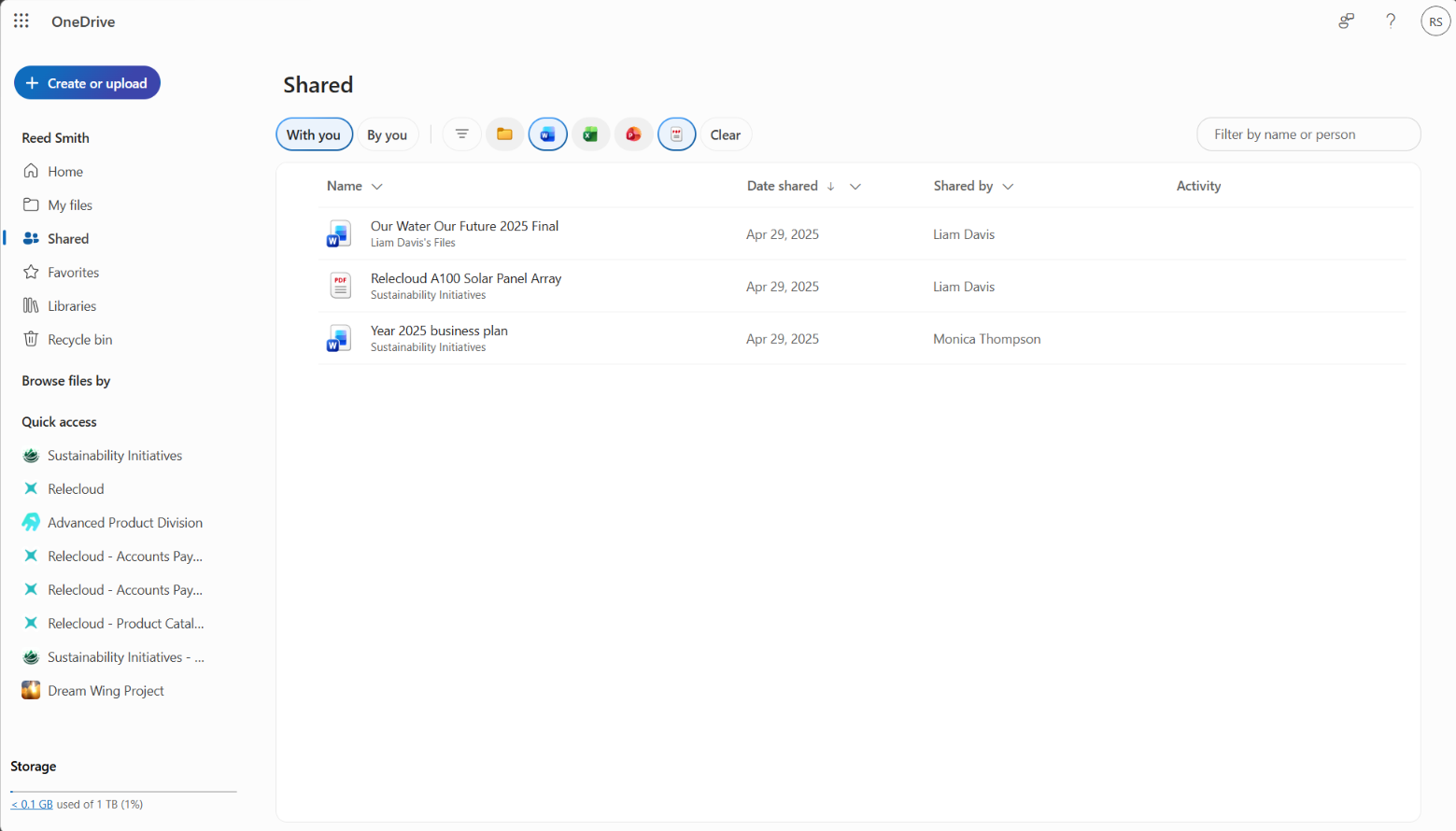
Navigation, filtering, and file management behaviors will be more closely aligned between OneDrive and SharePoint.
The feature will be enabled by default.
Existing permissions, sharing settings, and policies are unchanged.
[Action required and recommendations]
No action is required.
We recommend that you:
- Review and update internal training materials that reference the current OneDrive experience.
- Inform help desk and support teams about the updated navigation and filtering experience.
- Communicate the upcoming changes to users who regularly use OneDrive for the web.
[Compliance considerations]
No compliance considerations identified. Review as appropriate for your organization.
Additional details from Microsoft
- RoadmapIds
- 566316
- Summary
- OneDrive for the web will adopt the modern SharePoint document library experience, featuring improved navigation and enhanced filtering across views. Rollout begins mid-August 2026, completing by late October. Changes are enabled by default, with no impact on permissions or policies; no user action required.
- Platforms
- Web